
How to Evaluate a Website’s Performance Using a Proxy

Imagine this scenario: you launch a new landing page, but users from other countries report that it’s inaccessible, or your monitoring tool suddenly starts showing unusual errors. How do you determine whether the issue lies on your side, with the hosting provider, or within a regional network? This is where a proxy proves useful. Testing a website through a proxy allows you to “simulate” how it behaves under different conditions — from a different IP, a foreign country, behind a corporate firewall, or even via a mobile network.\

What a proxy is
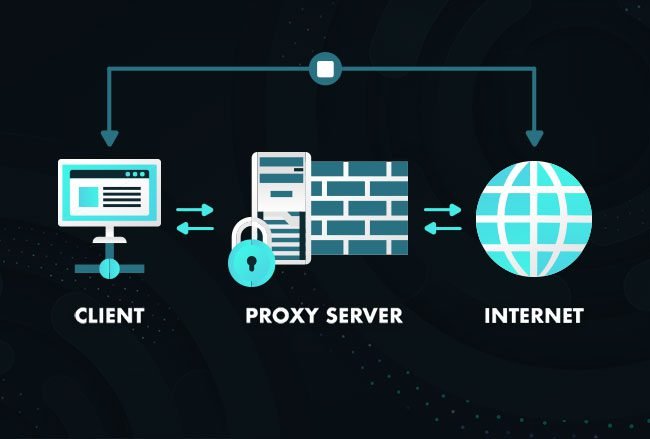
A proxy acts as an intermediary server: your client (browser or app) sends a request to the proxy, which then forwards it to the target website and returns the response. Essentially, a proxy “represents” you online: it can mask your real IP, cache content, or filter traffic.
Types of proxies
There are four main proxy protocols, distinguished by their capabilities:
- HTTP proxy handles HTTP requests directly. It can access headers and page content, making it ideal for web traffic, caching, and filtering. However, it doesn’t support arbitrary applications and isn’t secure for sensitive information unless encrypted.
- HTTPS proxy works similarly but can tunnel encrypted TLS traffic using the CONNECT command. Inside this tunnel, data remains encrypted and the proxy cannot view it, making HTTPS traffic safer.
- SOCKS4 is a lower-level proxy that forwards any TCP connections without parsing HTTP, suitable for SSH, FTP, or gaming. It does not support UDP and typically lacks built-in authentication.
- SOCKS5 is an enhanced version of SOCKS4. It supports authentication, UDP, and IPv6, making it versatile for applications requiring both TCP and UDP traffic.
Why use a proxy to test website performance
- Testing a website through a proxy allows you to observe how it performs not just on your network, but across specific geographic locations and connection types. A site may load perfectly in your office, but from another country it could be blocked due to geolocation, outdated CDN cache, or ISP routing issues. Proxies help replicate these conditions to identify the root cause.
- Proxies are useful for validating localization and personalization. Content, redirects, Accept-Language headers, and cookies may vary by IP or region, which is critical for testing language versions, A/B experiments, or local promotions.
- Using a proxy can help identify errors in IP-based logic, such as different pages for mobile carriers or corporate networks, and determine whether external security measures (WAFs, anti-bot tools, geofencing) block access.
- Proxies allow testing across different network types: mobile, residential, or data center. Each has unique routing, latency, and packet-loss characteristics. This is important not only for page load speed, but also for WebSocket functionality, media streaming, and timeout-sensitive processes.
- Proxies facilitate diagnosing SSL/TLS issues, as certificate visibility and intermediate nodes may differ across networks.
- Don’t forget about security and compliance. Traffic through third-party proxies can be logged or modified, so sensitive actions should be performed using trusted or self-managed proxies.
Key areas to test
When testing a website via a proxy, focus not only on whether it “loads,” but also on how it behaves for real users in a given network and region.
Interface
Verify that pages render correctly: layout, fonts, and images must display properly, and interactive elements (buttons, forms, modals) should be functional. Test responsiveness across desktop and mobile sizes, and check for locale-specific differences (text length and wrapping can vary). Review browser console errors (JavaScript) since scripts may fail due to network timeouts or blocked resources.
Prices and commercial content
Check price presentation, currency, and taxes. Prices may differ by region, so ensure accuracy in formatting (comma/period), discounts, promo codes, and local payment options. Errors in prices or currency often relate to APIs, CDNs, or geo-targeted logic — test the full checkout process, from selecting a product to reaching the payment page.
Content and localization
Review text, translations, images, and banners. Confirm redirects to language subdomains or paths, and verify that meta tags, Open Graph, and hreflang are correct. Examine personalized content (recommendations, A/B tests) that may only appear for specific geographic segments.
Availability and network behavior
Check for blocks from WAFs, anti-bot tools, or geoblocking. Also review SSL/TLS: validate the certificate chain, confirm SNI correctness, and note any handshake errors.
Load speed and user experience
Measure time to load primary content, full page load, and critical resources (CSS, JS, images). Evaluate CDN delivery in the target region, checking for stale caches. Test lazy-loading and preloads — slow connections may prevent some elements from appearing.
Preparing for proxy testing
Selecting the right proxy
Decide what you want to test: availability, localization, checkout flow, or load performance. Prepare URLs and simple scenarios, e.g., opening the homepage, logging in, adding a product to the cart, and proceeding to checkout (without real payments).
For web testing, HTTP/HTTPS proxies are convenient and browser-friendly. For non-standard applications or UDP traffic, use SOCKS5. For regional behavior testing, select proxies in the target country; residential or mobile IPs better simulate real users than data centers.
Verifying proxy functionality
- Test the proxy: open a site to confirm the external IP changes and pages load correctly.
- Make multiple requests: check latency, connection stability, and proper redirects. Ensure the proxy does not inject headers or banners, and cookies/sessions work as expected.
- Never send passwords or payment data via third-party proxies. Record proxy usage, timestamps, and any errors to facilitate issue reproduction.
Testing checklist
- Confirm the page opens, the server response is correct, and redirects function properly — visible via HTTP headers and browser behavior.
- Verify interface appearance and functionality: layout, fonts, images, buttons, forms, and scripts. Blocked resources or network timeouts may break JavaScript even if the server responds correctly.
- Check localization and commercial content: local prices, currency, texts, banners, and discounts. Ensure payment methods appear. Geo-specific errors often appear here.
- Test sessions and cookies: confirm logins persist and cookies carry across pages. Use only trusted proxies for sensitive scenarios.
- Observe website protections: geoblocks, WAFs, or anti-bot systems may return CAPTCHA or 403 errors; such issues may not originate from the site itself.
- Monitor proxy stability: run multiple consecutive requests to ensure connections remain consistent.
Sources for high-quality proxies
- Reliable proxies come from reputable providers, specialized services, or aggregators offering diverse locations and proxy types.
- When selecting, consider stability, speed, target locations, protocol support (HTTP(S)/SOCKS5), concurrent connection limits, logging policy, and DNS-over-proxy support.
For dependable website testing, use paid, trusted providers. Belurk offers a variety of IP types and geographic targeting, supports HTTP(S) and SOCKS, and provides a control panel plus API for test automation.
Geotargeting, proxy diversity, management, and automation enable rapid detection and reproduction of user-facing issues. Belurk is a practical, efficient choice for these tasks.